
Skip to content
View in the app

A better way to browse. Learn more.

Antique Phonograph Society Forum

A full-screen app on your home screen with push notifications, badges and more.

To install this app on iOS and iPadOS
  1. Tap the Share icon in Safari
  2. Scroll the menu and tap Add to Home Screen.
  3. Tap Add in the top-right corner.
To install this app on Android
  1. Tap the 3-dot menu (⋮) in the top-right corner of the browser.
  2. Tap Add to Home screen or Install app.
  3. Confirm by tapping Install.
Newest Version of APS Forum Installed, Including Downloadable Mobile App Version

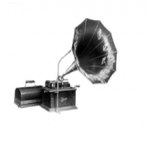
Fosler Automatic Stop
Featured Replies

Yet another very interesting gadget I've never seen Rod.  Thanks for sharing.

Nice Rod. I noticed the mandrel has an RPM strobe disc. Where did you find such a marvelous thing, and can I download a copy?

  • Author

I am certain that it was placed there by the late and talented Paul Ladd, Ft. Wayne, Indiana.  I have attached a PDF scan here.  Someone likely has a source or at least a better image.

Mandrel_Strobe.pdf

Thank you Rod. I'll search the interwebs to see if I can find something a little better.


Best,

Fran

Create an account or sign in to comment

Account

Navigation

Search

Search

Configure browser push notifications

Chrome (Android)
  1. Tap the lock icon next to the address bar.
  2. Tap Permissions → Notifications.
  3. Adjust your preference.
Chrome (Desktop)
  1. Click the padlock icon in the address bar.
  2. Select Site settings.
  3. Find Notifications and adjust your preference.