
Skip to content
View in the app

A better way to browse. Learn more.

Antique Phonograph Society Forum

A full-screen app on your home screen with push notifications, badges and more.

To install this app on iOS and iPadOS
  1. Tap the Share icon in Safari
  2. Scroll the menu and tap Add to Home Screen.
  3. Tap Add in the top-right corner.
To install this app on Android
  1. Tap the 3-dot menu (⋮) in the top-right corner of the browser.
  2. Tap Add to Home screen or Install app.
  3. Confirm by tapping Install.
Newest Version of APS Forum Installed, Including Downloadable Mobile App Version

Columbia Reproducer Clip-on Weight
Featured Replies

  • Author

I assume Volume, but I could see how it would eliminate skipping.  Perhaps others with more knowledgeable can comment. 

Hey Rod, 


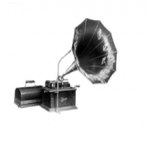
Yes, weight to produce volume for the record.  This one was actually made for the smaller-sized Q reproducer.  The two "ears" on the back of the weight clip over the edge of the reproducer and the weight sits flat against the top of the reproducer. 


Shawn 

Beautifull!!!!

Thanks for helping poor Rod, Shawn.  We just can't give him too much leash...


George P.

Create an account or sign in to comment

Account

Navigation

Search

Search

Configure browser push notifications

Chrome (Android)
  1. Tap the lock icon next to the address bar.
  2. Tap Permissions → Notifications.
  3. Adjust your preference.
Chrome (Desktop)
  1. Click the padlock icon in the address bar.
  2. Select Site settings.
  3. Find Notifications and adjust your preference.