
Skip to content
View in the app

A better way to browse. Learn more.

Antique Phonograph Society Forum

A full-screen app on your home screen with push notifications, badges and more.

To install this app on iOS and iPadOS
  1. Tap the Share icon in Safari
  2. Scroll the menu and tap Add to Home Screen.
  3. Tap Add in the top-right corner.
To install this app on Android
  1. Tap the 3-dot menu (⋮) in the top-right corner of the browser.
  2. Tap Add to Home screen or Install app.
  3. Confirm by tapping Install.
Newest Version of APS Forum Installed, Including Downloadable Mobile App Version

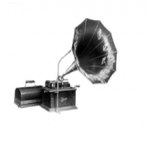
Columbia 33003 - Eclipse of The Sun
Featured Replies

Here is a transfer of a rare Cal Stewart, Uncle Josh recording, Columbia 2 Minute Black Wax, "Eclipse of The Sun".. Something to enjoy during your next experience of a total Solar Eclipse

Eclipse_of_the_sun.m4a

Nice.  Don't think I've heard that one.    Sort of amusing to note that when he refers to that happening "back in 69" he's talking 1869! 


Do I need do download the audio clips to play them?  That's how I did it.  Wonder if there's a way to play the clip right in the forum?


Edited by Valecnik

  • Author

Interesting question.  Need more tests.  When I click the "paper-clip", I get an option to either "Open" or "Download" the attachment.


Clicking "Open" will allow the recording to play via my default media player VLC.  When I try the other recording I posted, Shackelton" the "Open" will play the recording via a different media player, for some reason, although they are both m4a formats.


Windows 10 MS Edge Browser

15 minutes ago, RodPickett said:

Interesting question.  Need more tests.  When I click the "paper-clip", I get an option to either "Open" or "Download" the attachment.


Clicking "Open" will allow the recording to play via my default media player VLC.  When I try the other recording I posted, Shackelton" the "Open" will play the recording via a different media player, for some reason, although they are both m4a formats.


Windows 10 MS Edge Browser

I'm using Chrome.  It still wants me to download first and then open in a media player.  Probably I'm not doing something correctly.  IT is not my forte.

  • 4 weeks later...

It starts to download and while doing that I click on open when done. Or was it play when done but you get the idea. ha ha I have now clicked on 'always open files like this' so we shall see how that goes. 


Edited by Neilvanstem

Create an account or sign in to comment

Account

Navigation

Search

Search

Configure browser push notifications

Chrome (Android)
  1. Tap the lock icon next to the address bar.
  2. Tap Permissions → Notifications.
  3. Adjust your preference.
Chrome (Desktop)
  1. Click the padlock icon in the address bar.
  2. Select Site settings.
  3. Find Notifications and adjust your preference.